SigmaNEST has numerous reports available. Each stage in the workflow has its own reports more specific to that stage.
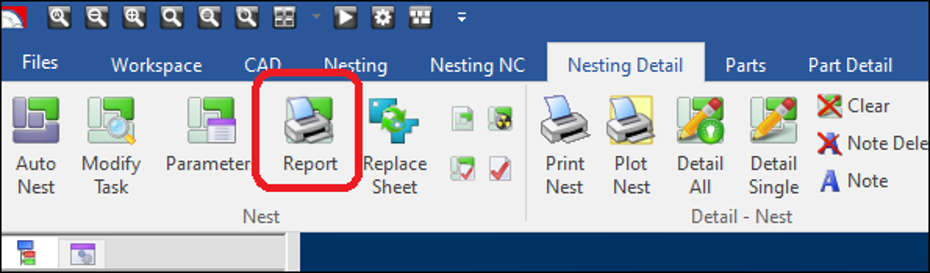
Within the Nesting / Nesting Detail tab, you will find Report:
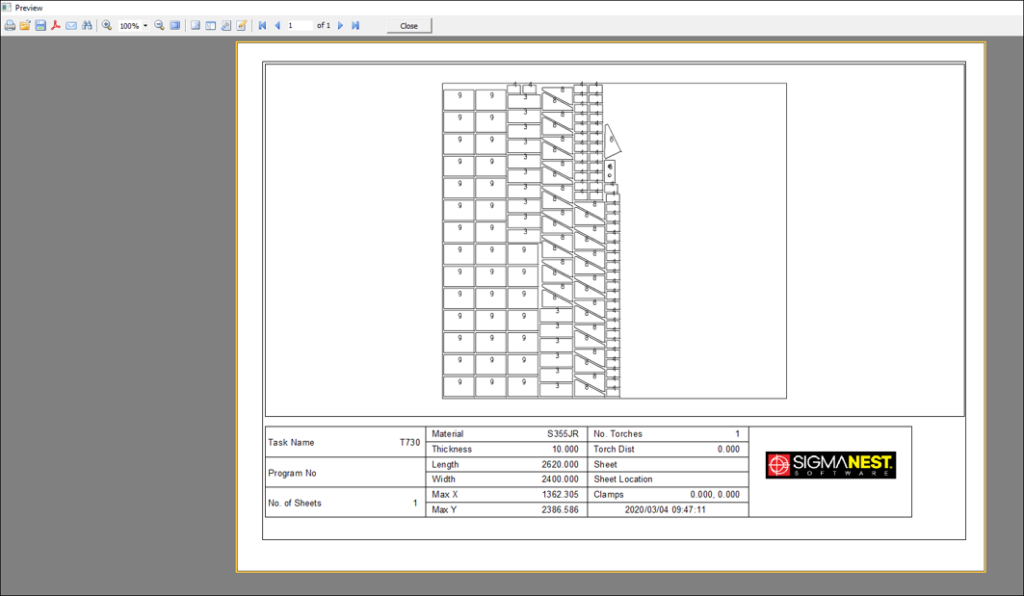
Report display a complete report of the nest that includes detailed information, such as the amount of parts nested, the material and thickness, scrap and yield percentages, and processing times. You can also view the report for each nesting layout individually by clicking the corresponding tab at the bottom of the Task Report dialog box. The bottom of the Task Report dialog box displays a list of all parts used for the nest or layout.



Within the Nesting Detail tab, you will find Print Nest:
Print Nest allows you to print a detailed report for the task. This includes graphics of the parts, bevel information, drill and depth attributes, and layout detail reports.


Within the Part Parameter, you will find Print:
Part Printing allows you to print part data from the Part Parameters dialog box.


Within the Part Selection, you will find Print:
Print. Allows you to print a Part List Report or Quote.


When trying to preview or print a report you might run into the following error.

Data type mismatch is an error that occurs quit often especially after a Window Update.
Steps to fix this report error.
Step 1: Open Control Panel


Step 2: Open Region

Step 3: Open Additional Settings

Step 4: Change Decimal Symbol From , to .


Step 5: Close & Open SigmaNEST

Step 6: Open Workspace and Preview Report