
Staff Writer
MECAD Manufacturing
If you are running a CNC shop, you already know the pressure. Tighter tolerances, shorter lead times, and customers who expect perfect parts every time. Programming by hand or relying on outdated workflows simply can’t keep up.
That’s where CAM software steps in. CAM software is the bridge between your digital design and the finished part on your machine. It takes a 3D model and turns it into the toolpaths and G-code your CNC machine needs to cut accurately and efficiently.
This post breaks down what CAM software is, how it helps CNC shops save time and money, and why Mastercam has been the industry’s top choice for nearly three decades.
What Is CAM Software and How Does It Work?
CAM stands for Computer-Aided Manufacturing. It’s software that takes a digital part model (usually from a CAD system) and converts it into detailed machining instructions for CNC machines. Those instructions, typically in the form of G-code, tell the machine exactly how to move, where to cut, how fast to feed, and which tools to use.
The basic CAM workflow follows a clear sequence. You start by importing your CAD model into the CAM software. From there, you define your machining operations: which tools to use, what material you’re cutting, and what strategy to follow. The software then calculates the toolpaths, which are the precise routes the cutting tool will travel to remove material.
Before anything reaches the shop floor, you run a simulation. Simulation lets you check for collisions, gouges, and inefficient air cutting before the job runs on a real machine. This catches problems early, when they’re cheap to fix.
Finally, the CAM program is processed through a post-processor. The post-processor translates the toolpath data into the specific G-code format your CNC controller requires. Different machines and controllers need different code, so the post-processor ensures everything matches your exact setup.
In short, CAM software handles the complex maths and decision-making that would take a programmer hours to do manually. It makes CNC programming faster, more consistent, and far less prone to error.
Key Features of CAM Software
Not all CAM software is built the same, but the best packages share a core set of features that make CNC programming faster and more reliable.
Toolpath generation is the heart of any CAM system. This is where the software calculates the cutting paths your tools will follow. Advanced CAM systems offer a wide range of toolpath strategies for roughing, finishing, contouring, pocketing, drilling, and more. The right strategy can dramatically reduce cycle times and improve surface finish. Explore what’s possible with the Mastercam 2025 milling enhancements for a practical look at how toolpath strategies keep evolving.
Machining simulation lets you verify the entire cutting process on screen before you commit to a real cut. You can check for tool collisions, gouges into the part, holder interference, and wasted motion. Simulation helps find problems before they create scrap, broken tools, or machine downtime.
Post-processing converts your toolpaths into machine-specific G-code. Every CNC controller has its own dialect, and the post-processor acts as the translator. A reliable post-processor is the difference between clean, predictable code and hours spent hand-editing output.
Tool library management gives you a centralised place to store and manage your cutting tools, holders, and parameters. A well-maintained tool library speeds up programming because you’re not re-entering tool data for every job.
Multi-axis support matters as shops take on more complex work. From basic 3-axis milling to full 5-axis simultaneous machining, capable CAM software lets you program parts that would be impossible to produce with manual methods.
These features work together to give CNC programmers more control, more consistency, and more confidence before the spindle ever starts turning.
How Does CAM Software Help CNC Shops Cut Costs and Save Time?
CAM software reduces programming time, optimises toolpaths to shorten cycle times, extends tool life, and catches errors before they reach the machine. All of these lower costs and speed up production, which directly impacts your bottom line.
Faster programming. What once took hours of manual G-code writing can be done in minutes with CAM. You select your geometry, choose a strategy, and the software does the heavy lifting. For shops juggling dozens of different jobs a week, that time adds up fast.
Shorter cycle times. This is where advanced toolpath technology really shines. Mastercam’s Dynamic Motion technology, for example, uses a material-aware algorithm that adjusts cutting motion based on the changing conditions of the stock. By reducing air cutting and maintaining consistent tool engagement, Dynamic toolpaths can reduce cycle times by 25 to 75 percent. That’s not a small improvement; it’s a step change in productivity.
Longer tool life. When a tool is constantly engaged at its manufacturer-recommended chip load, heat goes into the chips rather than the tool or the part. Dynamic Motion maintains that consistent chip load, which greatly extends tool service life and reduces the number of tool changes per shift. Pairing your CAM software with a speeds and feeds calculator like the HSM Advisor add-in can push those gains even further.
Fewer errors and less scrap. Simulation catches collisions, gouges, and programming mistakes before they cost you real material, real tools, or real machine time. For shops working with expensive alloys or tight-tolerance aerospace parts, this alone can justify the investment.
Choosing the Right CAM Software for Your Shop
Picking a CAM package is a big decision. It affects how fast you can program, how reliable your output is, and how easily your team can learn and use the system. Here are the factors that matter most.
Machine support. Your CAM software needs to support the machines you run today and the ones you plan to add. Whether it’s 3-axis mills, lathes, mill-turn centres, routers, or 5-axis machines, make sure the software covers your full range. Mastercam, for example, offers dedicated solutions for milling, turning, mill-turn, routing, wire EDM, and multiaxis work.
Post-processor reliability. A CAM system is only as good as the code it sends to the machine. Look for software with proven, well-supported post-processors for your specific controllers. Bad posts mean hand-editing, wasted prove-out time, and risk.
Simulation and verification. The ability to verify your toolpaths on screen, including full machine simulation with holder and fixture checks, saves time and prevents costly crashes.
Ease of use and learning curve. Even powerful software is useless if your team won’t adopt it. Look for an intuitive interface, logical workflows, and strong training resources.
Training and support network. When you’re stuck on a tricky setup or need a custom post, responsive local support matters. A large user community also means more shared knowledge, tips, and resources.
Market adoption. This one is easy to overlook, but it matters. Software that’s widely used means a bigger pool of skilled programmers to hire from, more training materials available, and a proven track record across thousands of shops.
Why Mastercam Is the Go-To CAM Software for CNC Shops
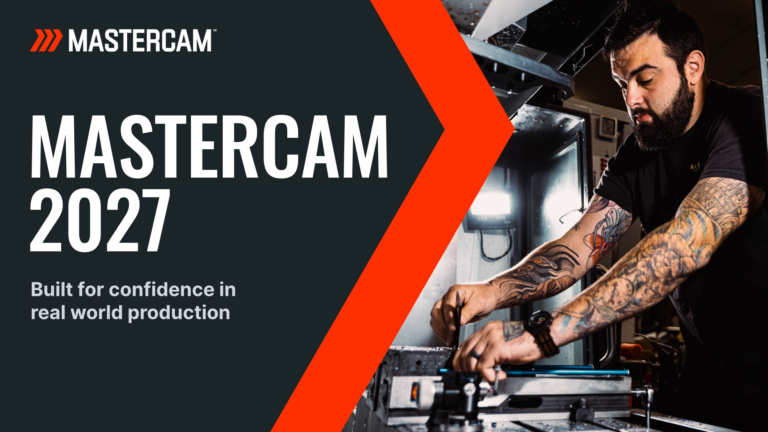
Mastercam is the world’s most widely used CAM software, ranked number one for 28 consecutive years by CIMdata, an independent research firm specialising in the NC industry. With over 300,000 installed seats globally, it has nearly twice the installed base of its nearest competitor.
That kind of market leadership doesn’t happen by accident. Mastercam delivers a combination of power, flexibility, and support that’s hard to match.
Its Dynamic Motion technology is a standout feature. By continuously adapting toolpath motion based on actual stock conditions, Dynamic Motion maintains a constant chip load to reduce cycle times, improve surface stability, and extend tool life. Whether you’re roughing aluminium or machining titanium, the technology delivers faster, safer, and more predictable results.
Mastercam’s breadth of solutions is another advantage. The full Mastercam product range covers Mill, Lathe, Mill-Turn, Router, Wire, and Multiaxis, all within a single, consistent interface. That means less retraining when you add new machines or take on new types of work.
Then there’s the education and workforce angle. Mastercam topped the list in both the educational and industrial categories, with nearly twice as many seats as the next competitor in schools as well. More students graduate with Mastercam experience than any other CAM, which means a larger pool of skilled programmers available to hire.
In South Africa, MECAD Manufacturing is the authorised Mastercam reseller. We provide licensing, implementation, training, and ongoing support across Gauteng, the Western Cape, and KwaZulu-Natal. Our application engineers bring real shop-floor knowledge to every deployment.
Getting Started with CAM Software
CAM software is no longer a luxury for CNC shops. It’s a core part of staying competitive. Whether you’re looking to reduce programming time, cut cycle times, extend tool life, or simply produce better parts with less scrap, the right CAM solution makes it possible.
Here’s what to take away. First, CAM software bridges the gap between design and production by automating toolpath creation and G-code generation. Second, advanced features like simulation and dynamic toolpaths deliver measurable time and cost savings. Third, choosing widely adopted, well-supported software like Mastercam gives your shop the best foundation for growth.
Ready to see what Mastercam can do for your shop? Get in touch with our team at MECAD Manufacturing for a demo, consultation, or to discuss training options. We’re here to help you machine smarter.